
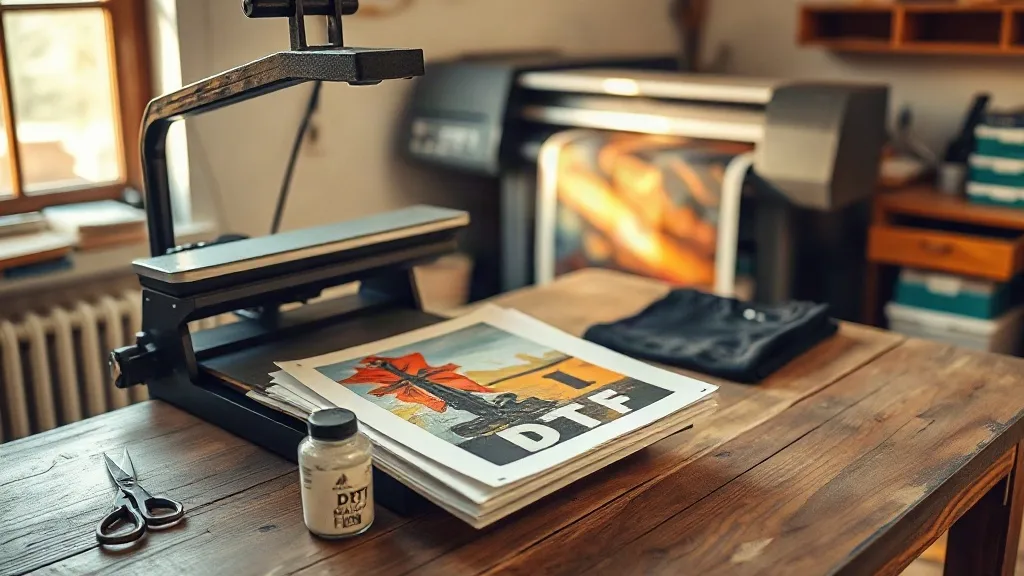
Walk into a small print shop on a busy Friday and you will usually see the same thing: a heat press running, a pile of shirts on a folding table, and someone squinting at a laptop trying to fix a customer's artwork. What you will not always see is a clear answer to the question that decides whether that shop makes money on a job: should this design go out as a screen print, vinyl, or dtf transfers? Getting that decision right is less about brand loyalty and more about matching the process to the order in front of you.
This guide is written for the shop owner, the side-hustle printer working out of a garage, and the person who just bought a dtf printer and is now wondering why half their transfers crack after two washes. We will cover file prep, powder and curing, pressing settings, fabric behavior, and the small habits that separate a clean transfer from a refund request.
Why DTF Earned a Permanent Spot in Small Shops
Before DTF, a shop with a tight budget had a rough set of options. Screen printing meant setup costs and minimums that made a five-shirt order unprofitable. Vinyl was cheap to start but slow to weed and limited to simple shapes. Direct-to-garment printing gave beautiful results on cotton but struggled on blends and dark garments without a pretreat routine that many beginners never quite mastered.
DTF changed the math because it separates printing from pressing. You can print a sheet of designs on Monday, store them in a drawer, and press one shirt on Thursday when a customer walks in. There is no minimum order, no screen to reclaim, and no pretreat step on the garment itself. For a shop that lives on small, varied orders, that flexibility is worth more than any single spec sheet number.
The trade-off is that DTF rewards consistency. A screen print tolerates a sloppy squeegee pull better than a DTF transfer tolerates a cold press or damp powder. Most of the complaints people post about DTF come down to process drift, not the technology itself.
File Prep Decides Half the Outcome
Long before anything touches a printer, the artwork sets the ceiling on quality. Two habits do the most work here.
Start with transparent PNGs at final size
A 300 DPI file at the exact print dimensions beats a 1200 DPI file that has to be scaled up. When you enlarge a raster image, the printer renders softer edges, and those soft edges become visible fuzz around letters after pressing. Set your canvas to the real width in inches, then place the art. If a customer sends a logo pulled from a website, ask for a vector or a larger original before you promise a crisp result.
Trim the white layer with intent
Every DTF transfer carries a white ink base under the color. That base is what makes the design opaque on dark shirts, but it also creates a visible outline if the white extends past the color edges. Most RIP software lets you choke the white layer by a pixel or two. On fine text and thin lines, that small adjustment is the difference between a design that looks printed into the fabric and one that looks like a sticker sitting on top of it.
Keep a test file on hand with 6-point text, a gradient, and a hairline stroke. Print it whenever you change film brand or ink batch. It takes two minutes and catches problems before a customer order does.
Powder, Cure, and the Step Most People Rush
After printing, the wet ink needs adhesive powder shaken over it and then melted. This is where beginners lose the most transfers.
- Shake evenly, then shake off the excess. A thin, uniform coat bonds well. A thick coat leaves a gritty texture and can gum up the press.
- Melt, do not bake. The powder should turn from matte to slightly glossy and flow into the ink. Overheating makes the adhesive brittle, which shows up later as cracking along fold lines.
- Watch humidity. In a damp room, powder clumps and leaves bare patches. A small dehumidifier near the printer solves more problems than most people expect.
Store finished transfers flat, printed side up, in a cool drawer. Stacking heavy items on them or leaving them in a hot car can pre-activate the adhesive and ruin the sheet before it ever reaches a press.
Pressing Settings That Actually Work
Exact numbers vary by press, film, and fabric, so treat any published setting as a starting point and verify with a test. That said, the general pattern holds across most setups:
- Prepress the garment for a few seconds to remove moisture and wrinkles.
- Place the transfer with the printed side down and the film backing up.
- Press at medium pressure for roughly 10 to 15 seconds at around 150 to 160 degrees Celsius.
- Let the shirt cool completely before peeling the film. Peeling hot is the single most common cause of distorted edges and lifted ink.
- Cover with parchment or a teflon sheet and press again briefly to lock the adhesive into the fibers.
The cool peel step is not optional. It feels slower, but it prevents the stretching and edge curling that turn a good transfer into a reprint.
Matching Transfers to Fabric
DTF adheres to a wide range of materials, which is part of its appeal, but not every fabric behaves the same way.
Cotton and cotton blends
These are the easiest and most forgiving. Standard pressure and the settings above produce a soft, durable result. Ringspun cotton gives the smoothest look because the tighter surface lets the adhesive bond evenly.
Polyester and performance wear
Lower the temperature and shorten the press time. Polyester can dye-migrate at high heat, meaning the garment's color bleeds up through the white base over time. If you print on red or navy polyester, test a sample and check it again after a wash cycle before committing to a bulk order.
Nylon, canvas, and coated materials
These need testing. Some coated fabrics release the adhesive, and heavy canvas may require longer press time to push the adhesive into the weave. Keep a notebook of what worked and what failed. That log becomes the most valuable reference in your shop.
When a Customer Asks for DTF Transfers Near Me
Search interest in local printing services has grown, and plenty of customers now type dtf transfers near me expecting a same-week turnaround. If you serve that demand, be honest about your turnaround and your limits. A shop that promises 24-hour service and then rushes the cool peel will hand out shirts that fail after three washes, and those customers do not come back.
Clear communication about file requirements, fabric choices, and wash care also reduces support headaches. A short care card tucked into each order, telling the customer to wash inside out in cold water and skip the dryer, extends the life of the print and protects your reputation more than any marketing post.
Common Mistakes and How to Avoid Them
- Peeling while hot. Wait for the film to cool. Patience protects the edges.
- Uneven pressure. A worn press platen or a loose upper platen creates patchy adhesion. Check your press with a pressure test sheet monthly.
- Stretching the shirt during placement. Press on a flat surface and avoid pulling the fabric tight, or the design will distort when it relaxes.
- Ignoring ink shelf life. Old ink and expired film cause dropouts and weak color. Label your batches and rotate stock.
- Skipping the second press. The post-press with a cover sheet is what drives the adhesive into the fibers for long-term durability.
Frequently Asked Questions
How long do DTF transfers last after washing?
With correct pressing and proper care, a well-made transfer typically holds up through dozens of wash cycles. Longevity depends mostly on the fabric, the adhesive cure, and whether the garment is washed inside out in cold water and air dried rather than run through a hot dryer.
Can I press a DTF transfer onto a shirt that already has a print on it?
It is possible but risky. Pressing over an existing print can trap air, cause the old print to lift, or create uneven pressure that prevents a clean bond. If you must layer, use a lower temperature and test on a scrap garment first, since the original print may not tolerate the heat.
Do I need a special printer for DTF transfers?
Yes. DTF requires a printer that lays down white ink, plus DTF-specific ink, film, and adhesive powder. You can convert some existing printers, but the conversion needs a white ink channel and a RIP that handles white layer control. Standard DTG or sublimation printers are not direct substitutes.
Why is my white base showing around the edges of my design?
This usually means the white layer extends past the color layer. Choke the white in your RIP software by one or two pixels, and check that your artwork has clean, hard edges rather than anti-aliased fuzz. Fine text and thin outlines show this problem first.
Is DTF cheaper than screen printing for small orders?
For small runs, usually yes. Screen printing carries setup costs per color that make a ten-shirt order expensive, while a DTF transfer costs roughly the same per unit whether you print one or fifty. The crossover point depends on your labor rate and design complexity, so run the numbers for your own shop rather than assuming.
The Bottom Line for Your Shop
DTF is not a magic process, and it will not rescue sloppy habits. What it does offer is a way to serve small, varied orders without the setup burden of screen printing and without the fabric limitations of vinyl. Treat file prep, powder curing, and cool peeling as non-negotiable steps, keep a test file and a fabric log, and the process becomes one of the most reliable tools in your shop rather than a source of reprints.