
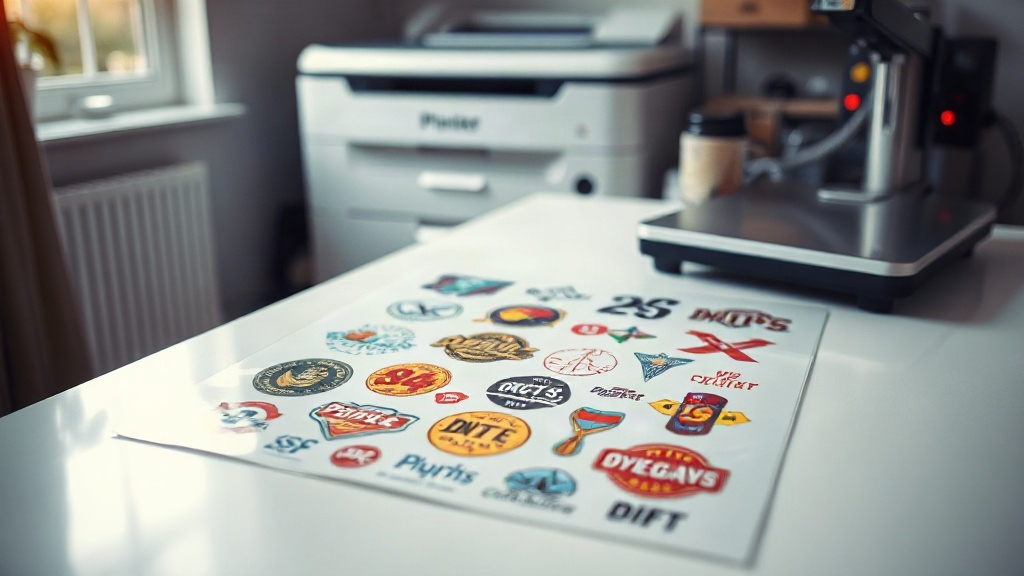
If you're in the custom apparel business, you've likely heard about DTF printing. It's a game-changer for producing vibrant, durable transfers on various fabrics. But what if you could take that efficiency to the next level? Enter the DTF gangsheet. This approach lets you print multiple designs in one go, saving time, money, and hassle. In this guide, we'll dive deep into what a gang sheet is, why it matters, and how to use it to supercharge your printing workflow. Whether you're a seasoned pro or just starting out, mastering gang sheets can set you apart.
What Is a DTF Gangsheet?
A DTF gangsheet is a single sheet of transfer film that contains multiple designs printed together. Instead of printing each design separately, you arrange them on a larger canvas, maximizing the use of your film and printer. Think of it as batch printing for DTF. The term "gang" refers to grouping multiple items together, and "sheet" is the physical medium. So, a gang sheet is essentially a collection of images on one sheet.
Why does this matter? For starters, it dramatically reduces waste. When you print individual designs, you often end up with unused film around each image. With a gang sheet, you can nest designs closely, using nearly every inch of the film. This is especially important because DTF film isn't cheap. Plus, it cuts down on printer time. Instead of sending multiple jobs, you send one. That means less babysitting the printer and more time for other tasks.
Benefits of Using DTF Gangsheets
The advantages of gang sheets go beyond just saving film. Let's break down the key benefits.
Cost Efficiency
By maximizing film usage, you reduce the cost per transfer. DTF film and powder are consumables that add up quickly. When you print a gang sheet, you're using less film per design, which directly lowers your production cost. This is crucial for maintaining healthy profit margins, especially if you're selling custom apparel.
Time Savings
Printing multiple designs in one job means less setup and cleanup. You load the film once, send one print job, and then cure and powder once. This streamlined process can cut your production time significantly. Imagine printing 20 different shirt designs in the time it used to take to print five. That's the power of gang sheets.
Consistency and Quality
When you print all designs on the same sheet, they go through the same curing and powdering process. This ensures consistent quality across the board. You don't have to worry about variations in temperature or pressure that might occur if you printed them separately. Plus, if you need multiples of the same design, you can repeat it on the sheet, ensuring identical transfers.
How to Create a DTF Gangsheet
Creating a gang sheet requires some planning and the right tools. Here's a step-by-step guide to help you get started.
Step 1: Choose Your Designs
Select the designs you want to print. They can be different images or multiple copies of the same one. Consider the size of each design and how they'll fit together. You'll want to arrange them efficiently to minimize wasted space.
Step 2: Use Gang Sheet Builder Software
While you could manually arrange designs in a graphic design program, dedicated gang sheet builder software makes the process much easier. These tools allow you to upload your images, set the sheet size, and automatically nest them for optimal use. Some popular options include Gang Sheet Builder, DTF Gang Sheet Builder, and even some RIP software with gang sheet features.
Step 3: Set Up Your Printer
Load your DTF printer with the appropriate film. Ensure your printer is calibrated and has enough ink. You'll also need to prepare your powder and curing station.
Step 4: Print, Powder, and Cure
Send the gang sheet to print. Once printed, apply hot melt powder evenly, shake off excess, and cure the sheet using a heat press or curing oven. Follow the recommended temperature and time for your specific materials.
Step 5: Cut and Apply
After curing, you can cut out each design. They're now ready to be heat-pressed onto garments. Use a heat press with the correct settings for DTF transfers.
Tips for Maximizing Your DTF Gangsheets
To get the most out of your gang sheets, keep these tips in mind.
- Plan your layout: Arrange designs to minimize gaps. Rotate images if needed to fit better.
- Leave a margin: Don't print too close to the edge; leave at least 0.25 inches to avoid cutting into designs.
- Group by size: If you have designs of similar sizes, group them together to use space efficiently.
- Test your settings: Before printing a full sheet, do a small test to ensure colors and details come out right.
- Use quality film: Cheaper film can cause problems like curling or poor ink adhesion. Invest in good quality DTF film.
Common Mistakes to Avoid
Even experienced printers can make mistakes with gang sheets. Here are some pitfalls to watch out for.
- Overcrowding: Trying to fit too many designs can lead to cutting errors or poor print quality. Give each design some breathing room.
- Ignoring grain direction: DTF film has a grain, and printing against it can affect durability. Always check the manufacturer's recommendations.
- Inconsistent powdering: Uneven powder application can cause transfers to fail. Use a powder shaker for even coverage.
- Skipping the cure test: Always test your cure settings. Under-cured transfers will wash off, while over-curing can damage the film.
Frequently Asked Questions
What is the maximum size for a DTF gangsheet?
The maximum size depends on your printer's capabilities. Most DTF printers can handle sheets up to 13x19 inches or larger. Some industrial printers can go up to 24 inches wide. Check your printer's specs to determine the maximum sheet size.
Can I mix different designs on one gangsheet?
Absolutely! That's the whole point of a gang sheet. You can mix any designs you want, as long as they fit within the sheet dimensions. Just ensure they are all properly spaced and oriented.
How do I price DTF transfers from a gangsheet?
Pricing can be tricky. Calculate your cost per sheet (film, ink, powder, labor) and divide by the number of designs. Then add your profit margin. Alternatively, you can price per square inch. Many printers charge based on the total area of the designs.
Do I need special software to create a gangsheet?
While you can use general graphic design software, dedicated gang sheet builder software simplifies the process. It automates nesting and ensures proper spacing. Some RIP software also includes gang sheet features.
How long do DTF transfers last?
When properly applied and cared for, DTF transfers can last as long as the garment itself. They are durable and withstand multiple washes. Follow care instructions: wait 24 hours before washing, wash inside out in cold water, and avoid bleach.
Mastering the DTF gangsheet is a skill that pays off. It's not just about saving a few bucks on film; it's about streamlining your entire operation. By printing multiple designs at once, you reduce downtime, minimize waste, and increase your output. Whether you're a small shop or a large operation, incorporating gang sheets into your workflow can lead to significant gains. So, next time you fire up your DTF printer, think batch. Think gang sheet. Your bottom line will thank you.