
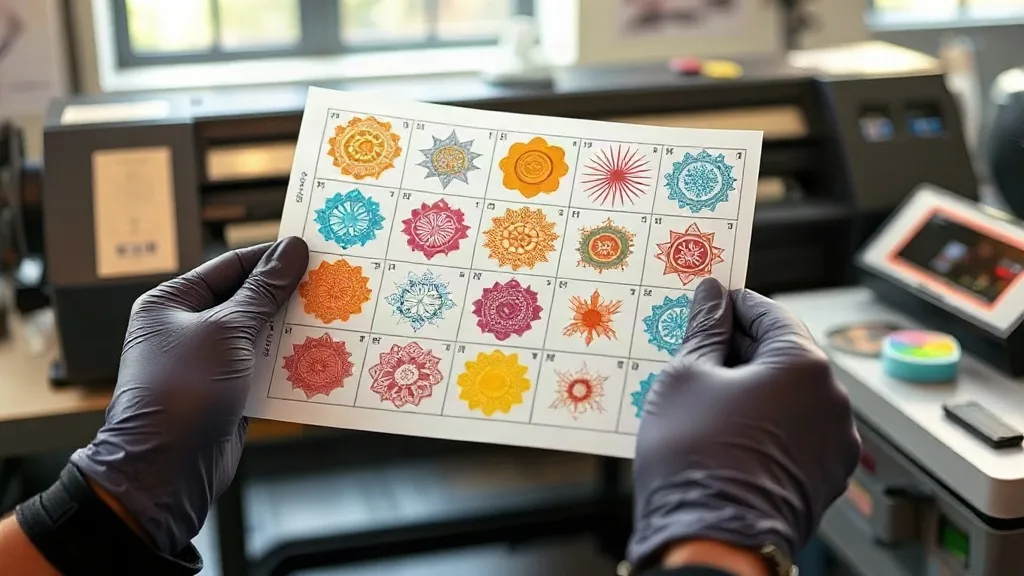
You've spent hours perfecting a design, only to have the final print come out looking dull, shifted, or completely off-brand. For anyone in custom apparel, color accuracy is non-negotiable. It's the difference between a satisfied customer and a returned order. But what if there was a way to lock in those colors and ensure every transfer matches your vision? Enter the DTF Gangsheet. In this article, we'll explore how gangsheets can be your secret weapon for achieving flawless color accuracy, and share practical tips to get the most out of your DTF printing workflow.
Why Color Accuracy Matters in DTF Printing
DTF (Direct to Film) printing has revolutionized custom apparel by allowing vibrant, full-color designs on almost any fabric. But with great color comes great responsibility. Inconsistent colors can ruin an otherwise perfect print, leading to wasted materials, lost time, and unhappy clients. Whether you're printing a small batch of team jerseys or a large order for a corporate client, color precision is key to your reputation.
Traditional DTF printing often involves printing each design individually, which can lead to variations in color output due to printer settings, ink levels, and environmental factors. A DTF Gangsheet changes that by allowing you to print multiple designs on a single sheet, ensuring that all transfers on that sheet share the same color profile and printing conditions.
What Exactly Is a DTF Gangsheet?
A DTF Gangsheet is a large sheet of film that contains multiple designs printed together in one go. Think of it as a digital collage of your artwork, arranged efficiently to maximize the use of the film. This method is not just about saving space; it's about consistency. When all designs are printed on the same sheet, they undergo the same printing process, ink batch, and curing conditions, resulting in uniform color output across the board.
Gangsheets are particularly useful for orders with multiple designs that share a common color palette, such as a collection of t-shirts for a brand. By grouping them, you eliminate the risk of color shifts between individual prints.
How DTF Gangsheets Improve Color Consistency
1. Single Print Run, Single Color Profile
When you print a DTF Gangsheet, all designs are processed in a single print run. This means they all use the same ICC profile, the same ink set, and the same printer settings. There's no chance of one design being printed with a slightly different color balance than another, which can happen when printing separately.
2. Reduced Human Error
Printing each design individually increases the risk of mistakes: loading the wrong profile, forgetting to adjust settings, or simply having a printer hiccup. With a gangsheet, you set up the file once, send it to print, and all designs are treated identically. This reduces the margin for error and ensures that every transfer on the sheet meets your color standards.
3. Efficient Use of Ink and Film
By arranging designs closely together, you minimize wasted film and ink. But beyond cost savings, this efficiency also contributes to color consistency. When you use less film and ink, you're also reducing the chance of inconsistencies that can arise from running multiple small jobs. Plus, a well-planned gangsheet can be printed with a consistent ink laydown, avoiding the variations that occur when the printer starts and stops between jobs.
Tips for Creating Color-Accurate DTF Gangsheets
1. Start with Calibrated Equipment
Before you even think about gangsheets, make sure your printer is calibrated. Use a colorimeter to create a custom ICC profile for your printer and ink combination. This profile will be the foundation for all your color management. When you print a gangsheet, that profile is applied to the entire sheet, so all designs benefit from the same accurate color reproduction.
2. Use High-Quality RIP Software
Your RIP (Raster Image Processor) software is the bridge between your design files and the printer. Invest in a RIP that supports gangsheet creation and has robust color management features. Look for features like nesting (automatic arrangement of designs to minimize waste) and color replacement (to adjust specific colors across the sheet).
3. Group Designs with Similar Color Palettes
While a gangsheet ensures consistency across all designs on the sheet, grouping designs that share similar colors can further enhance efficiency. For example, if you have a set of designs that all use a specific brand color, printing them together ensures that color is reproduced identically. It also makes it easier to spot any deviations during quality control.
4. Perform a Test Print
Before committing to a full gangsheet, do a small test print of a few designs to verify color accuracy. This step can save you from wasting a large sheet if something is off. Once you're satisfied, proceed with the full run.
5. Maintain Your Printer Regularly
Consistent color output requires a well-maintained printer. Regular cleaning, nozzle checks, and ink level monitoring are essential. A clogged nozzle or low ink can cause streaks or color shifts that affect the entire gangsheet. Set up a maintenance schedule and stick to it.
Common Color Issues and How to Fix Them
Even with the best setup, color issues can arise. Here are some common problems and solutions:
- Colors appear dull or washed out: This could be due to incorrect ICC profile, expired ink, or improper curing. Check your profile settings, ensure ink is fresh, and verify curing temperature and time.
- Color shifts between prints: If colors vary from one gangsheet to another, it might be time to recalibrate your printer or replace the ICC profile. Also, ensure environmental conditions (temperature, humidity) are stable.
- Inconsistent color within a single sheet: This can happen if the printer is not laying down ink evenly. Perform a nozzle check and clean the printhead. Also, check for any media feed issues that could cause banding.
Why Choose dtfprintme.com for Your DTF Gangsheet Needs?
At dtfprintme.com, we specialize in high-quality DTF transfers, including custom gangsheets. Our state-of-the-art printers and rigorous color management processes ensure that your designs come out vibrant and accurate every time. We offer fast turnaround, competitive pricing, and expert support to help you get the most out of your DTF printing. Whether you're a small business or a large operation, we're here to help you achieve flawless results.
Frequently Asked Questions
How does a DTF Gangsheet improve color accuracy compared to printing individually?
A DTF Gangsheet ensures that all designs on the sheet are printed in a single run with the same ink, printer settings, and environmental conditions. This eliminates variations that can occur between separate print jobs, resulting in consistent color across all transfers.
Can I include different designs with different color profiles on one gangsheet?
Yes, you can include designs with different color profiles, but keep in mind that the gangsheet will be printed using a single ICC profile. For best results, convert all designs to a common color space (like sRGB) before creating the gangsheet, or group designs with similar color characteristics together.
What file format is best for gangsheet designs?
We recommend using PNG files with transparent backgrounds at 300 DPI for optimal quality. Vector files (AI, EPS) are also acceptable but may require flattening. Ensure all designs are in the correct size and resolution before submitting.
How do I ensure my gangsheet colors match my screen?
Screen colors are RGB and prints are CMYK, so exact matches are impossible. However, using a calibrated monitor and soft-proofing with your printer's ICC profile can help you get a close representation. Always do a test print to verify.
What is the maximum size for a DTF gangsheet?
Our standard gangsheet size is 22 inches by 60 inches, but we can accommodate custom sizes. Contact us for details.