
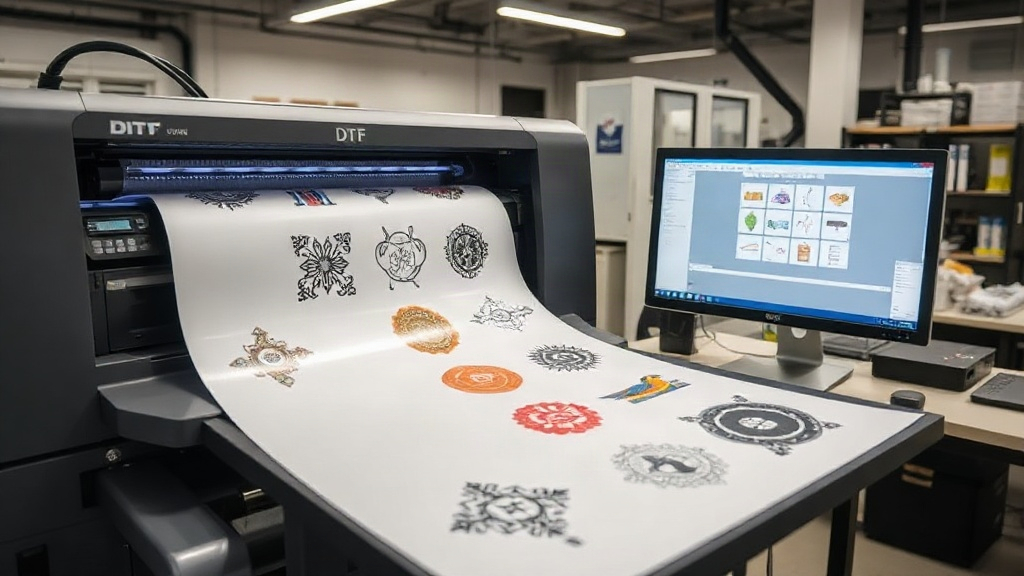
If you run a print shop or create custom apparel, you know that time is money. Every minute spent manually arranging designs on a transfer film adds up, eating into your profits and slowing down production. That's where a DTF gangsheet builder comes in. This powerful tool lets you combine multiple designs into a single sheet, maximizing your DTF printer's output and minimizing waste. But it's not just about saving time; it's about unlocking a more efficient, cost-effective workflow that can scale with your business. In this guide, we'll dive deep into the world of DTF gangsheet builders, explore their benefits, and share actionable tips to help you get the most out of your printing setup.
What is a DTF Gangsheet Builder?
Before we get into the nitty-gritty, let's clarify what a gangsheet builder actually is. In the context of DTF (Direct to Film) printing, a gangsheet is a single sheet of transfer film that contains multiple designs arranged together. Instead of printing one design at a time, you group several designs onto one sheet, print them all at once, and then cut them out individually. A gangsheet builder is software or an online tool that helps you arrange these designs efficiently, automatically nesting them to use as little film as possible.
Think of it like a digital puzzle: you upload your artwork, and the builder finds the best fit, rotating and repositioning each piece to fill the sheet. This not only saves film but also reduces the time spent in RIP (Raster Image Processor) software and manual cutting. For any serious DTF printer, a gangsheet builder is not just a luxury; it's a necessity.
Why You Need a Gangsheet Builder for Your DTF Printing
You might be thinking, "I can just arrange designs manually in Photoshop or Illustrator." While that's true, manual arrangement is time-consuming and often inefficient. Here's why dedicated gangsheet builders are a game-changer:
- Time Savings: Automating the layout process can cut hours off your prep time, especially for large orders.
- Cost Reduction: By maximizing film usage, you reduce waste and lower your material costs. Film and powder are not cheap, so every inch counts.
- Consistency: Automated nesting ensures uniform spacing and orientation, reducing errors and improving print quality.
- Scalability: As your order volume grows, manual methods become unsustainable. A builder allows you to handle more jobs without hiring additional staff.
- Integration: Many builders integrate with RIP software and cutters, creating a seamless workflow from design to finished transfer.
In short, a gangsheet builder is a force multiplier for your DTF printing business.
Key Features to Look for in a DTF Gangsheet Builder
Not all gangsheet builders are created equal. When choosing one for your shop, consider these essential features:
1. Automatic Nesting Algorithm
The core of any builder is its nesting algorithm. A good algorithm will rotate and pack designs tightly, leaving minimal empty space. Look for one that allows you to set spacing (bleed) between designs, which is crucial for cutting.
2. Support for Multiple File Formats
You likely work with PNG, PDF, and other file types. Ensure the builder accepts the formats you use daily. Some also support vector files, which can be scaled without quality loss.
3. Roll vs. Sheet Mode
DTF printers can use either roll film or sheet film. Your builder should accommodate both, allowing you to define the sheet size or roll width and length.
4. Image Editing Tools
Basic editing like resizing, rotating, and duplicating images directly within the builder saves you from switching between programs. Some advanced tools even let you adjust color profiles or add cut lines.
5. Integration with RIP and Cutters
If you use a RIP software like Cadlink or a cutter like Graphtec, look for a builder that can export files compatible with these systems. This streamlines your production line.
6. Cloud-Based vs. Desktop
Cloud-based builders offer flexibility and collaboration, while desktop versions may be faster and more secure. Choose based on your team's needs.
How to Use a Gangsheet Builder: Step-by-Step
Using a gangsheet builder is straightforward. Here's a typical workflow:
- Upload Your Designs: Import all the artwork you want to print. Make sure each design has a transparent background (PNG) or is properly prepared.
- Set Sheet Dimensions: Enter the width and length of your film. If using a roll, specify the width and the length you want to print.
- Adjust Spacing: Set the gap between designs (usually 0.1 to 0.2 inches) to allow for cutting.
- Let the Builder Nest: Click the auto-arrange button. The software will position each design optimally.
- Review and Tweak: Manually adjust if needed. Some builders allow you to lock designs in place or prioritize certain ones.
- Export and Print: Save the file as a high-resolution image or PDF and send it to your DTF printer via RIP software.
- Cut and Press: After printing, apply hot melt powder, cure, and cut out each design. Then heat press onto garments.
With practice, this process becomes second nature, and you'll wonder how you ever managed without it.
Best Practices for Maximizing Your Gangsheet Efficiency
To get the most out of your gangsheet builder, follow these expert tips:
Group Similar Sizes Together
Nesting works best when designs are of similar dimensions. If you have a mix of large and small graphics, consider creating separate gangsheets for each size category to minimize wasted space.
Use High-Resolution Images
DTF printing requires 300 DPI at the final print size. Low-res images will look pixelated and unprofessional. Always start with quality artwork.
Mind the Bleed
Leave enough space between designs for cutting. A common mistake is placing them too close, making it difficult to trim without damaging the edges.
Test Different Layouts
Don't settle for the first arrangement. Try rotating the sheet or adjusting spacing to see if you can fit more designs. Some builders have a "maximize" feature that does this automatically.
Keep a Library of Common Designs
If you print popular designs frequently, save them in the builder's library for quick access. This speeds up the process for repeat orders.
Monitor Film Usage
Track how much film you use per gangsheet. Over time, you'll identify patterns and can adjust your nesting strategy to reduce waste further.
Common Mistakes to Avoid with DTF Gangsheet Builders
Even with a powerful tool, errors can happen. Here are pitfalls to watch out for:
- Overcrowding: Trying to squeeze too many designs onto one sheet can lead to printing errors, such as color bleeding or misalignment. Leave some breathing room.
- Ignoring Print Direction: Some designs have a specific orientation (e.g., text). Ensure they are not rotated upside down.
- Forgetting to Mirror: DTF transfers are pressed face down, so designs must be mirrored horizontally. Most builders have a mirror option, but double-check before printing.
- Using Incorrect Color Profiles: DTF printing uses CMYK plus white. Make sure your designs are in the correct color mode to avoid surprises.
- Not Updating Software: Builders are often updated with new features and bug fixes. Keep your software current for optimal performance.
Top DTF Gangsheet Builders on the Market
While we can't recommend specific brands, here are some popular options you might encounter:
- DTF Gangsheet Builder by dtfprintme.com: Our own tool offers intuitive nesting, cloud storage, and seamless integration with popular DTF printers.
- Cadlink Digital Factory: A comprehensive RIP software with gangsheet capabilities, though it requires a learning curve.
- Printavo: More of a shop management tool, but some versions include gangsheet features.
- Online Builders: Websites like Gangsheet.com or DTF Gangsheet Maker offer free or paid plans with basic nesting.
Evaluate each based on your volume, budget, and technical skills.
Frequently Asked Questions About DTF Gangsheet Builders
What is the difference between a gangsheet and a single design print?
A gangsheet combines multiple designs on one film, while a single design print is just one graphic per sheet. Gangsheets are more efficient for production runs.
Can I use a gangsheet builder with any DTF printer?
Yes, as long as the builder exports a file format your printer's RIP software can read (e.g., TIFF, PDF, PNG). Most DTF printers accept standard formats.
How do I calculate the cost savings from using a gangsheet builder?
Calculate the film area used per design manually versus with a builder. The difference in square inches multiplied by your film cost per square inch gives you the savings. You'll likely find it's significant.
Is a gangsheet builder suitable for small businesses?
Absolutely. Even if you print a few sheets a day, the time and material savings add up. Many builders offer affordable monthly plans or one-time purchases.
Do I need design skills to use a gangsheet builder?
No, basic computer skills are enough. The builder handles the layout; you just upload and arrange. However, knowing how to prepare print-ready files helps.
Conclusion: Streamline Your DTF Printing with a Gangsheet Builder
Incorporating a DTF gangsheet builder into your workflow is one of the smartest investments you can make. It saves time, reduces waste, and allows you to take on more orders without compromising quality. Whether you're a solo entrepreneur or a growing print shop, the right builder can transform your DTF printing process. Start by trying a free trial or demo, and see the difference for yourself. Your bottom line will thank you.