
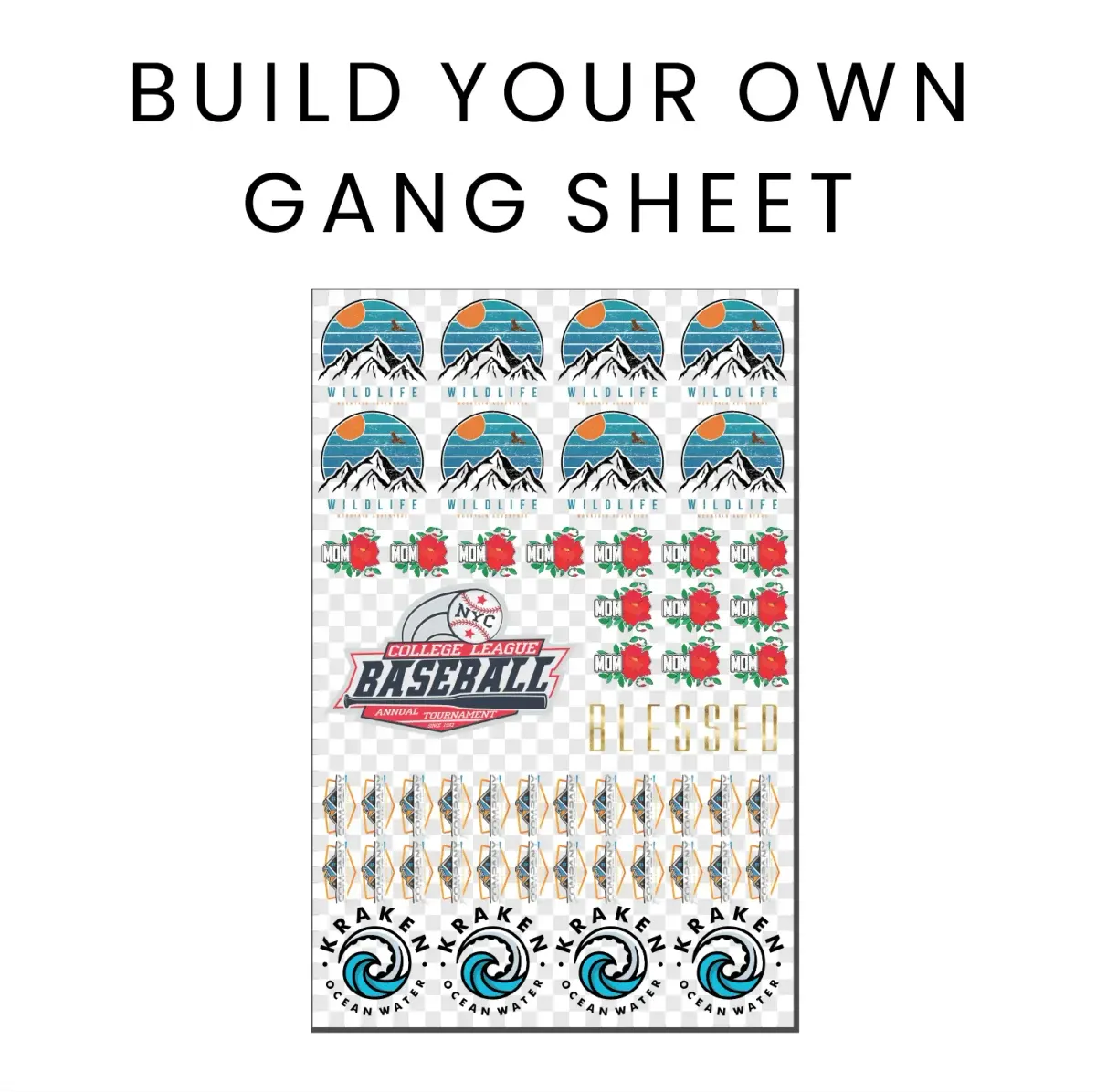
The DTF Gangsheet Builder is revolutionizing the world of printing by streamlining the direct to film (DTF) printing process. This innovative tool allows users to create beautiful textile prints with unparalleled efficiency and precision. With the rise of gangsheet printing techniques, designers can consolidate multiple artworks onto a single film, optimizing both material usage and cost-effectiveness. Whether it's for custom apparel or promotional products, the DTF Gangsheet Builder ensures that print quality remains uncompromised, giving businesses a competitive edge. By utilizing this state-of-the-art builder, both professionals and hobbyists can achieve stunning results like never before.
The DTF Gangsheet Creator serves as a comprehensive platform for enhancing the efficiency of direct-to-film production. By leveraging gangsheet techniques, artists and designers can effortlessly combine various graphics into a single print, significantly cutting down on raw material waste. This method not only facilitates seamless textile printing but also guarantees exceptional print quality and vibrant colors. When coupled with the latest advancements in direct-to-film printing technology, using the DTF Gangsheet Creator transforms the traditional printing workflow, making it faster and more accessible for anyone seeking to produce eye-catching designs. It's the perfect solution for anyone aiming to elevate their printing standard while maximizing resources.
The Benefits of DTF Printing for Your Business
DTF printing is rapidly becoming a preferred method for textile printing due to its versatility and efficiency. This method not only enables the printing of vibrant colors and intricate designs but also allows for printing on a variety of fabrics, making it ideal for businesses that cater to diverse customer needs. By utilizing DTF printing, businesses can minimize production times while maximizing print quality, allowing for quicker turnarounds on customer orders.
In addition to its adaptability, DTF printing is often more cost-effective than traditional screen printing techniques. With the capability to print on-demand using the DTF Gangsheet Builder, companies can reduce waste and manage their inventory effectively. This approach supports a sustainable business model that aligns with the growing consumer demand for eco-friendly printing solutions.
How to Optimize Your DTF Gangsheet Builder Usage
Effectively using a DTF Gangsheet Builder can significantly enhance the quality of your prints and streamline your production process. To optimize its usage, start by ensuring that your designs are properly aligned and spaced on the gangsheet, which will enhance the print layout and reduce ink wastage. This meticulous arrangement not only maximizes efficiency but also ensures that each design maintains its intended quality and appearance after printing.
Additionally, it's important to continually update your design templates based on trends and customer preferences. Utilizing feedback from previous prints can also guide adjustments in the DTF Gangsheet, ensuring that each new batch meets or exceeds expectations in terms of color accuracy and print quality. This proactive approach can help in refining your production strategy while establishing a strong brand reputation in the competitive market.
Steps for Effective Design Preparation in DTF Printing
Design preparation is critical in ensuring successful printing results with DTF technology. Start by creating high-quality artwork with precise dimensions to fit your printing canvas. This involves setting the correct resolution, typically 300 DPI, to guarantee that details are sharp and visually appealing. Incorporating vector graphics can also enhance edge clarity, which is vital for intricate designs when printed on fabric.
Furthermore, optimizing the layout of your designs on the gangsheet can lead to both aesthetic and practical benefits. Carefully consider color placement and visual harmony, as this will create a more striking final product. By continually refining your design process and utilizing the insights gained from previous projects, you can significantly improve the overall quality and efficiency of your DTF printing operations.
Printer Settings for High-Quality DTF Outputs
Getting the printer settings right is crucial in achieving high-quality prints with DTF technology. Start by selecting the appropriate media type for DTF printing; this basic step ensures that the ink is deposited correctly, maximizing color fidelity and reducing the chances of smudging. Additionally, investing time in adjusting the quality settings on your printer can lead to significantly better print outcomes.
Another vital aspect of printer configuration involves maintaining the right balance of ink usage. Too much ink can lead to pooling and blurry images, while too little can cause fading. Regular calibration of your printer and routine maintenance checks can help maintain optimal performance, ensuring that each print reflects professional standards worthy of your business.
Material Selection for Optimal DTF Printing
Selecting the right materials for DTF printing—both film and ink—is essential for achieving satisfactory results. High-quality DTF films are designed to allow proper ink adhesion, which is crucial for producing durable prints that stand the test of time. When choosing films, always look for reputable brands that are well-reviewed within the printing community.
In addition to films, the type of ink used in DTF printing cannot be overlooked. Utilizing high-quality DTF inks is critical for ensuring vibrant colors and longevity in your printed items. Opting for eco-solvent or specialized formulations can further enhance the final product's appearance, providing your textiles with the rich colors and resistance to fading that customers expect.
Mastering the Transfer Process in DTF Printing
The transfer process is a key step in achieving successful DTF prints on fabric. After printing your designs, it's essential to apply adhesive powder promptly to ensure proper adhesion. This adhesive acts as a bonding agent, allowing the design to fuse with the fabric during heat application. To avoid uneven application, consider using a controlled environment to sprinkle the adhesive, maintaining consistency across each print.
After applying the adhesive, the heat curing stage must be managed carefully to ensure that the print adheres without damaging the fabric. Adhering to specified temperature and pressure guidelines is crucial during this phase. Investing in a reliable heat press can simplify this process, helping you strike the right balance between adequate curing and fabric preservation to deliver top-notch prints every time.
Frequently Asked Questions
What is the DTF Gangsheet Builder and how does it improve DTF printing?
The DTF Gangsheet Builder is a specialized tool designed for Direct to Film (DTF) printing that allows users to consolidate multiple designs onto a single sheet of film. This innovation enhances efficiency in printing processes, optimizes material use, and reduces waste, resulting in high-quality prints at lower costs.
How do I prepare my designs for optimal results with the DTF Gangsheet Builder?
To prepare your designs for the DTF Gangsheet Builder, ensure you create artwork at a resolution of at least 300 DPI using graphic design software. Arrange multiple designs on the canvas strategically to maximize space and ensure they fit within the print area, allowing for a visually appealing gangsheet.
What printer settings are essential for effective DTF printing using a Gangsheet Builder?
When using a DTF Gangsheet Builder, it is crucial to select the correct media type specific for DTF printing. Adjusting the print quality settings to high or best quality ensures that the print retains detail and vibrancy. Always refer to the printer manual for optimal DTF film settings.
What materials are best for achieving high print quality with DTF Gangsheet Builder?
For the best results using the DTF Gangsheet Builder, select high-quality DTF films that offer good ink adhesion. Additionally, opt for eco-solvent inks or specialized DTF inks designed for vibrant color outputs and durability on textiles.
What is the importance of the transfer process in DTF printing with Gangsheet Builder?
The transfer process is pivotal in DTF printing with a Gangsheet Builder. Proper application of adhesive powder immediately after printing and effective heat curing ensures that prints adhere responsibly to the fabric, resulting in long-lasting, high-quality designs.
How can I maintain the quality of prints created using the DTF Gangsheet Builder?
To maintain the quality of prints from the DTF Gangsheet Builder, allow items to cool after transfer before handling, and follow the manufacturer's care instructions for washing. Proper post-transfer care extends the life of the printed designs and preserves their vibrancy.
| Key Element | Description |
|---|---|
| Understanding the Gangsheet Concept | Consolidates multiple designs on a single film for optimized material use and reduces waste. |
| Step 1: Design Preparation | Ensure designs are at least 300 DPI and arrange effectively within the print area. |
| Step 2: Printer Settings | Select the correct media type and set quality to high for detailed prints. |
| Step 3: Film and Ink Selection | Use quality DTF films and eco-solvent or specialized DTF inks for best results. |
| Step 4: The Transfer Process | Apply adhesive powder post-print and use heat curing for effective transfer. |
| Step 5: Post-Transfer Care | Allow items to cool and follow washing instructions to maintain quality. |
Summary
The DTF Gangsheet Builder is an essential tool for anyone looking to enhance their printing capabilities. By understanding the intricacies of DTF printing—from the gangsheet concept through to proper design preparation, printer settings, material selection, the transfer process, and post-transfer care—you empower yourself to achieve stunningly high-quality results. This structured approach not only maximizes efficiency but also showcases your creativity, making the DTF Gangsheet Builder a key asset in today’s effective print production landscape.